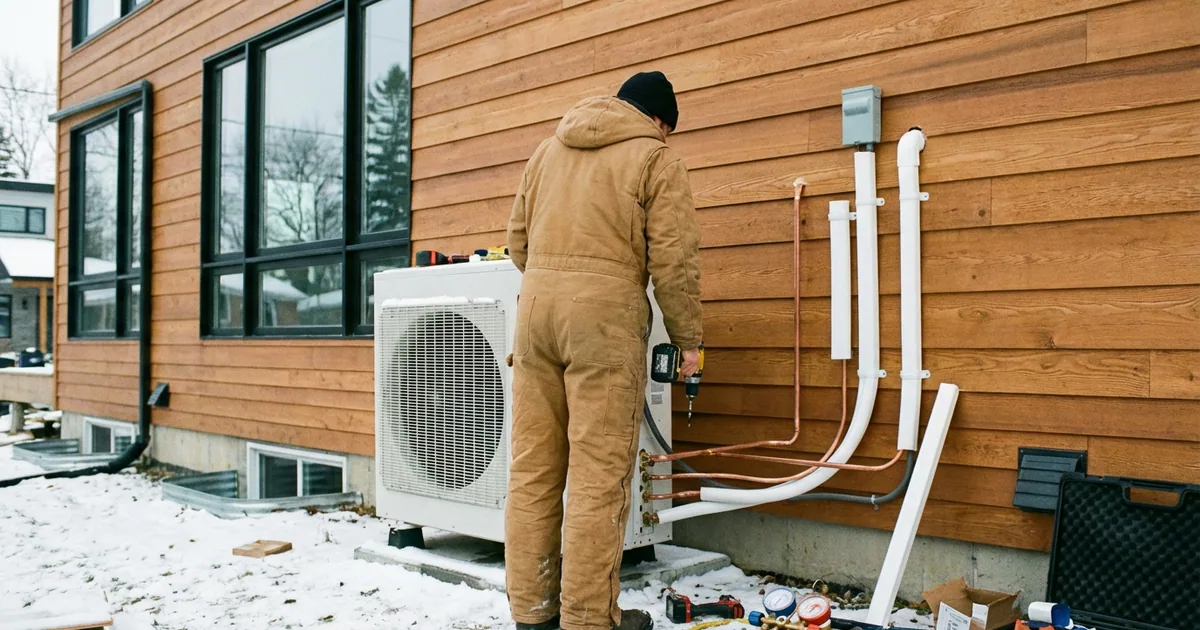
Heat Pump Installation Customer Tracking: Quote to Startup
Heat pump installations are booming across Canada. Federal and provincial rebates are driving unprecedented demand. Homeowners are switching from gas furnaces, oil boilers, and electric baseboard heating to heat pumps — and HVAC companies can't keep up.
The result: long waitlists, multi-day installations, and homeowners who are spending $10,000–$25,000 on a system they don't fully understand. They have questions. Lots of questions. And if you don't proactively answer them, they'll call. Repeatedly.
This guide covers how to build a customer communication workflow for heat pump installation businesses — from initial quote through commissioning and rebate submission.
The Canadian heat pump boom
Canada has set aggressive targets for building decarbonization. Heat pumps are central to hitting them. Here's the landscape:
- Federal target: Net-zero emissions by 2050. The building sector accounts for 13% of Canada's greenhouse gas emissions, and space heating is the largest contributor.
- Installation growth: Heat pump installations in Canada have grown roughly 30% year-over-year since 2022. The market isn't slowing down.
- HVAC technician shortage: Canada needs an estimated 10,000+ additional HVAC technicians to meet demand. Existing companies are booked weeks or months out.
- Average project value: $8,000–$25,000 for residential installations, depending on system type and home complexity. This is 3–5x a typical HVAC service call.
For HVAC companies, this is the biggest growth opportunity in a generation. But high demand with limited capacity creates a customer experience problem: long waits, anxious homeowners, and communication breakdowns that lead to cancellations and bad reviews.
Government rebates driving demand
Rebates are the single biggest driver of heat pump adoption. Understanding them is essential for customer communication because homeowners ask about rebates in every interaction.
Federal programs
- Canada Greener Homes Grant: Up to $5,000 for eligible heat pump installations. Requires pre- and post-installation EnerGuide home evaluations ($150–$600, partially reimbursable).
- Oil to Heat Pump Affordability (OHPA) Program: Up to $10,000 for homeowners switching from oil heating to heat pumps. Available in Atlantic Canada, Quebec, and parts of Ontario. Can be combined with the Greener Homes Grant. (Full eligibility and current funding status on the official Oil to Heat Pump Affordability program page (NRCan).)
- Interest-free loans: The Canada Greener Homes Loan offers up to $40,000 at 0% interest over 10 years for eligible retrofits including heat pumps.
Provincial programs (selected)
- Ontario: The Home Efficiency Rebate Plus offers up to $10,000 for combined insulation and heat pump upgrades through Enbridge Gas.
- Quebec: Rénoclimat provides up to $5,000 for heat pump installations, stackable with federal programs.
- British Columbia: CleanBC Better Homes program offers up to $6,000 for heat pumps and can be combined with federal grants.
- Nova Scotia: HomeWarming and other programs provide free heat pumps for income-qualified homeowners.
When rebates can cover $5,000–$15,000 of a $20,000 installation, homeowners are motivated — but the paperwork creates anxiety. They worry about whether they'll actually get the rebate, whether their system qualifies, and whether they'll miss a deadline.
Your communication system needs to address this. When you send a status update that says “Installation complete — rebate paperwork submitted to NRCan today,” you've just eliminated their biggest remaining worry.
What does a multi-day installation workflow look like?
Unlike a 2-hour furnace repair, a heat pump installation is a multi-day project with distinct phases. Each phase has communication needs that traditional HVAC job tracking doesn't address. (For equipment selection, the ENERGY STAR certified air-source heat pumps list from NRCan is the authoritative reference for which models qualify for the federal rebates discussed above — worth checking before quoting.)
Here's a recommended workflow using a tool like FixyFlow:
Pre-installation stages
- Quote Sent — You've assessed the home and sent a detailed quote. The customer needs to review options (ductless vs. ducted, single-zone vs. multi-zone) and decide.
- Quote Approved — Deposit Received — They've said yes. You've collected the deposit. Now they enter the waitlist.
- Scheduled — Installation date confirmed. This status change should include the date, expected duration, and what the homeowner needs to prepare (clear access to furnace room, move cars from driveway, etc.).
- Pre-Installation Inspection — Some installs need an electrical panel assessment or ductwork evaluation before the main work begins. If this reveals additional costs, communicate them here before install day.
Installation stages
- Day 1 — Equipment Delivery and Prep — Outdoor unit placed, refrigerant lines roughed in, electrical work started. For multi-day installs, end-of-day updates are critical: “Day 1 complete. Outdoor unit installed. Indoor work starts tomorrow at 8 AM.”
- Day 2 — Indoor Unit and Ductwork — Indoor unit mounted, ductwork connected or modified, thermostat installed.
- Day 3 — Commissioning and Testing — System charged, tested in heating and cooling modes, airflow balanced, thermostat programmed.
Post-installation stages
- Commissioning Complete — System Operational — Everything works. Customer walkthrough done. This is the best time for a review request.
- Rebate Paperwork Submitted — You've filed the rebate application on the customer's behalf (or guided them through it).
- Complete — Final invoice sent, rebate confirmed, warranty registered.
That's 10 stages. It sounds like a lot, but each one takes 10 seconds to update. And each automatic text saves a 5-minute phone call from a homeowner who just wants to know what's happening with their $15,000 project.
Customer communication during installation
Multi-day installations have a unique communication challenge: the homeowner is home while you work. They can see what's happening, but they don't understand it. This creates a paradox: they have more access to information but less understanding than a customer who drops off a phone and leaves.
Set expectations before day one
Send a pre-installation message covering:
- Timeline: “Your installation will take 2 days. Day 1: outdoor unit and electrical. Day 2: indoor unit, ductwork, and testing.”
- Access needs: “We'll need clear access to the furnace room and the north exterior wall. Please move any items within 3 feet of these areas.”
- Noise and disruption: “Expect drilling and some noise during outdoor unit installation. Indoor work is quieter.”
- HVAC downtime: “Your existing system will be off during the switchover. Day 2 may have a few hours without heating/cooling.”
End-of-day updates for multi-day jobs
At the end of each day, send a brief update:
“Day 1 complete. The outdoor condenser unit is installed and the refrigerant lines are run. Tomorrow we'll mount the indoor air handler, connect the ductwork, and test the full system. Crew arrives at 8:30 AM.”
This 30-second text prevents the evening phone call (“so is everything going OK? When will you be done?”) and gives the homeowner something concrete to tell their spouse when they ask “how's the installation going?”
Handling surprises mid-install
Things go wrong. The electrical panel is full. The ductwork needs modification. The attic access is too tight. When something changes the scope or timeline:
- Inform the homeowner immediately — don't wait until end of day.
- Explain what you found and why it matters.
- Present the additional cost and revised timeline.
- Get approval before proceeding.
Surprises don't create bad reviews. Surprises that the homeowner finds out about on the invoice create bad reviews.
How do you manage waitlists?
If you're booked 4–12 weeks out, your waitlist is a customer experience liability. Every week that passes without communication is a week the homeowner might:
- Call to confirm they're still on the list (wasting your office staff's time)
- Get a quote from a competitor and cancel
- Leave a pre-service bad review (“been waiting 6 weeks, no communication”)
The fix is simple: create a job in your tracking system the moment a customer confirms. Set the status to “Scheduled” and include the planned installation date. Then send periodic updates:
- At booking: “Your heat pump installation is confirmed for [date]. We'll send prep instructions one week before.”
- 2 weeks before: “Your installation is in 2 weeks. Here's what to prepare: [list].”
- 1 week before: “Your installation is next [day]. Crew will arrive between 8–9 AM. Any questions? Reply to this text.”
Three texts over 6 weeks. Total time investment: under 2 minutes. Cancellation prevention and customer satisfaction: significant.
For more strategies on keeping customers informed during service work, see our communication during service guide.
Before-and-after documentation
Heat pump installations are visual. The transformation from an old oil furnace to a clean, modern heat pump system is impressive — and it's marketing gold.
What to photograph
- The old system before removal
- The new outdoor unit installed (clean, level, properly mounted)
- The new indoor unit and thermostat
- Any ductwork modifications
- The electrical panel upgrade (if applicable)
How to use the photos
- Customer delivery: Send before/after photos at completion. Homeowners love showing friends and neighbours what they got.
- Google Business Profile: Upload project photos regularly. Google rewards active profiles with better local search visibility.
- Social media: Before/after posts perform well on Facebook and Instagram, especially in local community groups.
- Rebate documentation: Some rebate programs require photos of the installed equipment. Having them organized and ready streamlines the application.
How do you earn reviews from homeowners?
A $15,000 installation generates more detailed reviews than a $150 repair. Homeowners write paragraphs about the experience — good or bad. Your goal is to make the experience so well-communicated that the review writes itself.
The best time to ask: at the commissioning walkthrough, when you're demonstrating the new thermostat and the homeowner is feeling the warm (or cool) air from their brand-new system. Follow up with an automatic text 24 hours later.
What homeowners mention in 5-star heat pump reviews:
- “They explained every step of the process.”
- “Installation was on schedule and on budget.”
- “They handled all the rebate paperwork.”
- “I always knew what was happening and what was next.”
- “Clean and professional. You wouldn't know they were here.”
Notice the pattern: only one of those is about the technical work. The rest are about communication, process, and professionalism. That's what determines whether a $15,000 customer becomes a referral source or a detractor.
For dedicated appliance and HVAC service communication patterns, see our appliance repair page and mobile service page.
Start tracking your installations today
You don't need enterprise HVAC software to keep homeowners informed. You need a simple system that sends automatic updates at each stage of the job.
FixyFlow lets you create custom workflow stages that match the heat pump installation process. Every status change sends a text. Every customer gets a tracking link. Setup takes 5 minutes.
Your waitlist, your multi-day installs, and your rebate follow-ups — all tracked in one place. The homeowner sees progress. You stop answering “when is my install?” calls. And the 5-star reviews mention your communication, not just your compressor work.
The heat pump market in Canada is only growing. The installers who build the best customer experience now will own the referral networks that drive business for the next decade. Start with communication.