17 Service Businesses That Need a Customer Tracking Page
Auto shops and phone repair get all the attention. But here are 17 service businesses quietly losing 5+ hours a week to the same “is it ready?” call — and the simple fix most of them haven't thought of.
A customer tracking page is a single link you send once. The customer opens it, sees the current stage, and stops calling. No app. No login. No customer portal. Just a page that updates itself.
Here's who needs one most.
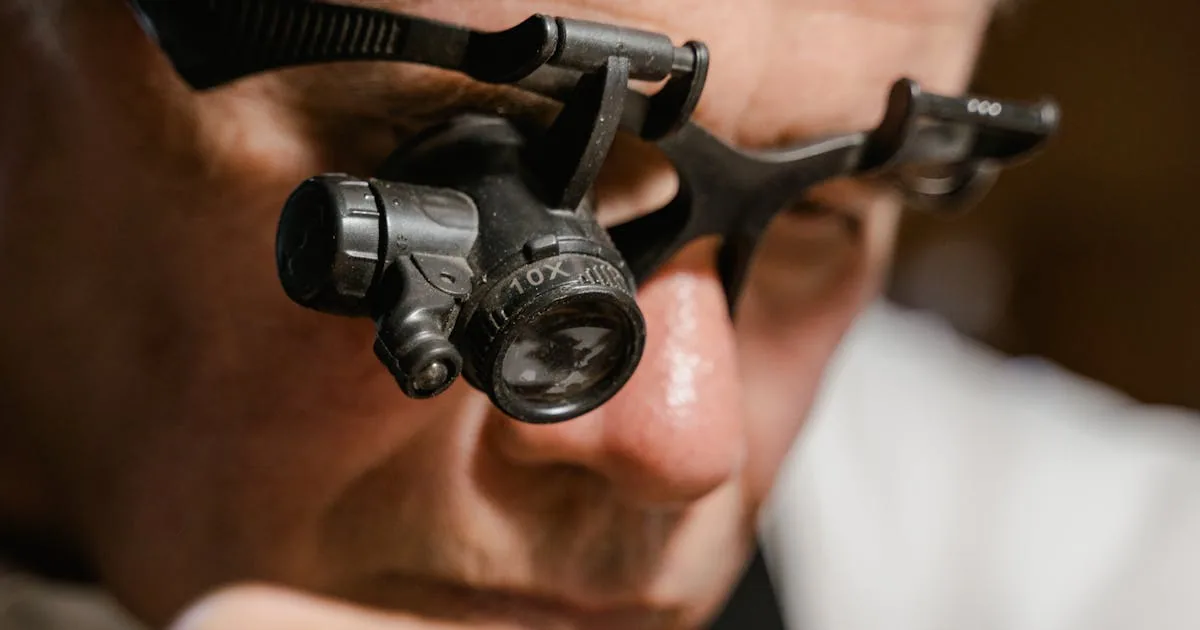
1. Watch and jewelry repair
You're a jeweler. A customer brings in a Rolex for a crown replacement. You quote them two weeks. On day four, they call. On day six, they call again. On day nine, they call twice.
It's not that they don't trust you. A $12,000 watch is emotional. They just want to know it hasn't been forgotten in a drawer.
What a tracking page does: Shows them “Received → Assessing → Waiting on Parts → Repairing → Ready for Pickup” with a timestamp next to each completed stage. That's it. Calls drop by half within a week.
2. Tailors and alterations
Wedding dresses, suits for weddings, tuxedos for proms — every big-ticket alteration job comes with a customer who's already anxious about the deadline.
If your shop doesn't tell them “we started” and “we're done,” they'll call. Twice.
What a tracking page does: Replaces 4–6 phone calls per big job with a single SMS at each stage. And they still feel more taken care of than before.
3. Cobblers and shoe repair
Half your walk-ins are older customers who don't use text at all. The other half are younger customers who expect updates like it's a Domino's order.
A tracking link works for both groups. The older ones ignore it and the younger ones finally stop calling.
What a tracking page does: Ends the “can I pick them up tomorrow?” call that comes two hours before closing, every day. We wrote the full playbook for this trade, including the unclaimed-shoes problem, in 12 shoe repair text message templates.
4. Gunsmiths
Customers drop off a family heirloom. They don't know how gun work actually flows — parts ordered, bluing, test-fire, ATF paperwork if applicable. So they assume it's quick, and they call at day three.
What a tracking page does: Makes the real process visible. Stops the pressure. You set expectations once and the page does the rest of the work.
5. Musical instrument repair (guitar, piano, brass)
A vintage Martin comes in for a neck reset. The customer is a gigging musician. They have a show in six weeks. That's not “plenty of time” — that's panic time for them.
What a tracking page does: Shows progress on a job that looks like nothing is happening from the outside. “Neck removed → Heel cleaned → Mounted in jig → Glue curing (48hr) → Fretwork → Setup → Ready.” Each stage = one less phone call.
6. Taxidermy
Industry wait times are measured in months, not days. Customers know this. They still call.
What a tracking page does: Kills the awkward “checking in” email. Every customer can see they're one of 12 pieces in the queue, which stage their piece is at, and roughly when it'll be done. You post one photo at the skinning stage and one at the mounting stage — that's it.
7. Small engine repair
Lawn mowers in spring. Snowblowers in fall. Every regular has the same pattern: drops off, asks for the estimate, disappears for two weeks, then shows up unannounced wondering if it's done.
What a tracking page does: The SMS goes out the moment you move it to “Ready for Pickup.” They come in when the work is actually finished instead of on their own schedule.
8. Marine and boat mechanics
Opening weekend is the most stressful day of your customers' year. If their boat isn't ready, they miss a trip they booked six months ago. If you don't communicate, they assume the worst.
What a tracking page does: Replaces panic with information. “Engine out → Inspection complete → Parts ordered (arrive Thu) → Installed → Water test → Ready.” No surprises. No angry phone calls the night before a long weekend.
9. Bicycle repair
Commuter shops get the worst of it. A customer drops off their bike in the morning, walks 40 minutes home, and texts at noon to ask if it's ready. Then again at 3pm. Then shows up 15 minutes before closing regardless of what you've said.
What a tracking page does: They can check the page on their phone on the train home. Nobody calls. Nobody shows up early.
10. Ski and snowboard tune shops
January through March is your entire year. Customers drop skis on Friday night, need them Saturday morning, and will call you six times if you don't confirm you got the drop-off.
What a tracking page does: Auto-sends a “Received — in the queue” text the moment you log their job. That alone cuts weekend calls in half.
11. Camera and lens repair
High-value, sentimental, and fragile. Customers send in cameras for sensor cleanings, shutter replacements, mount calibration. Every one of them will call on day three to make sure it arrived safely — if you didn't confirm it yourself.
What a tracking page does: “Received → Diagnosed → Repair in progress → Tested → Ready to ship” takes 10 seconds to update. Ends the “did it get there okay?” call forever. The backlogs in this trade run months, which is why we gave it a full write-up: customer communication for backlogged camera repair benches.
12. Upholstery and furniture restoration
The classic wait-time industry. A dining-room chair reupholster takes 3–6 weeks depending on fabric availability. Customers forget halfway through that they even ordered it, then panic and call.
What a tracking page does: Acts as a passive progress report. Photo at frame repair, photo at fabric pickup, photo before delivery. The customer experience is suddenly better than a furniture store.
13. Premium and wedding dry cleaners
Nobody calls about their button-down. Everyone calls about the wedding dress, the $4,000 Alexander McQueen, the vintage fur. The concentration of calls is on 5% of jobs — but those 5% are your most lucrative.
What a tracking page does: Send the tracking link only on high-value tickets. The bride can check the progress of her dress at 2am instead of calling the shop at 9am.
14. Picture framing
A custom frame is maybe a 10-day job — matboard ordered, cut, fit, assembled. Customers think it's “done in a day” and start calling on day four.
What a tracking page does: Shows them the glass isn't in yet. That's usually all it takes.
15. Pet grooming
Grooming itself is quick, but owners call the moment they drop off. “Is he doing okay?” “Is he scared?” “When should I pick him up?”
What a tracking page does: A “Started → In the bath → Drying → Cutting → Ready for pickup” flow with an optional photo at the end converts anxious owners into obsessed fans. Half of them will post the photo on social and tag your shop.
16. Custom embroidery and T-shirt shops
The order came in for 80 team jerseys. The game is in 10 days. The customer has already called twice and placed the order three days ago.
What a tracking page does: “Order received → Artwork approved → Digitizing → Printing → Quality check → Ready” turns the panic loop into a normal business transaction.
17. Antique and furniture restoration
Multi-month jobs with emotional owners. The chair belonged to their grandmother. They want a monthly check-in.
What a tracking page does: You post updates at the major milestones. They check the page whenever the anxiety spikes. Nobody calls.
The underlying pattern
Every business on this list has three things in common:
- The job is invisible to the customer — they dropped the thing off and now they can't see what's happening to it.
- The wait is longer than the customer expects — because the work is more involved than it looks from the outside.
- The item has emotional or monetary weight — so silence creates real anxiety.
A tracking page fixes all three. It makes the invisible visible. It sets accurate expectations. And it replaces silence with a steady stream of tiny, reassuring updates.
What is a tracking page (and what isn't it)?
It isn't a full customer portal with accounts and logins. It isn't a Jira board. It isn't anything your customer has to download or set up.
It's a single URL, unique to each job. You text it to them once. They open it. It updates itself every time you move the job forward. That's the whole thing.
For 90% of service businesses, that's all a “customer portal” ever needed to be.
If you already pay for a platform that ships a portal, compare the two carefully before adding anything. We broke down what Jobber's Client Hub covers and where it stops, and the pattern holds across most of the category: strong on quotes, appointments and payments, silent on what stage the job is actually at.
If any of this sounds like your shop
FixyFlow is built for exactly this. You drag a job between stages on your dashboard. Your customer gets an SMS with a link. They stop calling. Your day opens up.
5 jobs a month is free, forever. The paid plans start at $19/month, less than the labor cost of answering two “is it ready?” calls per day.