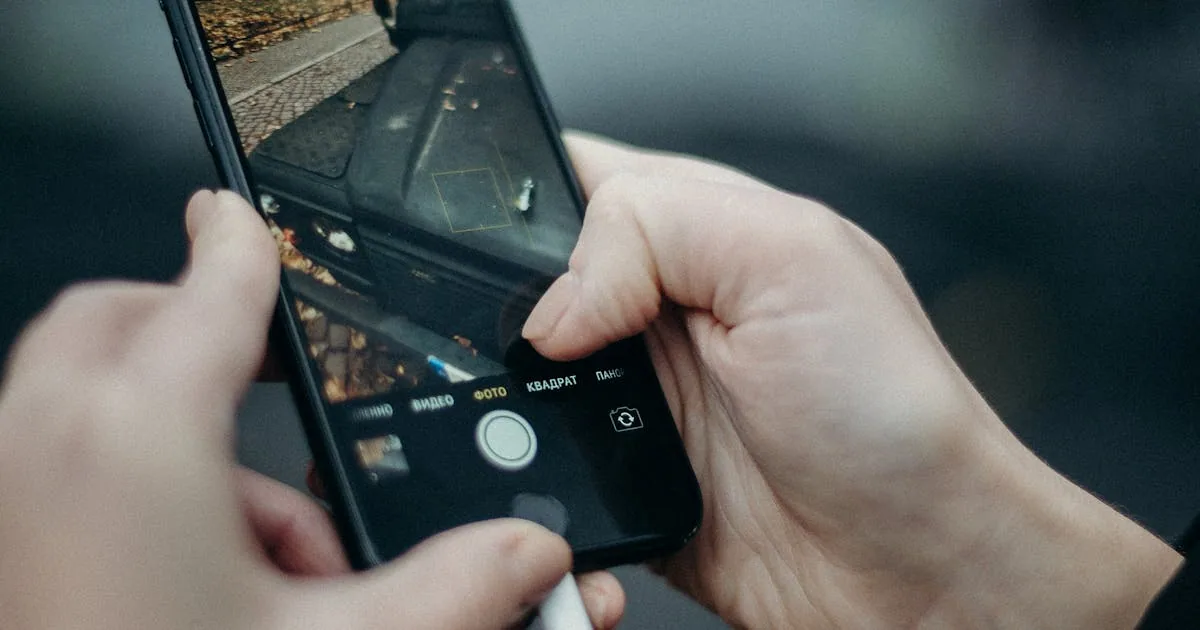
Job Photos That Justify the Invoice: A Mobile Service Guide
The customer pays the invoice without asking a single question. Then they leave a five-star review. The thing that did the work? Three photos.
Photos are the most underused tool in mobile service. They cost you 30 seconds per job and they prevent more disputes, refund requests, and bad reviews than any other single habit. Most solo operators take photos sometimes - usually after a problem - which means they're using photos as defence, not offence.
Why do photos matter more for mobile than for shop-based work?
In a shop, the customer can come look at the work. They see you doing it. They see the bench, the tools, the part you replaced. Mobile service has none of that. The customer was in the kitchen the whole time. They have to take your word for what you did - and what shape things were in when you got there.
That gap (between what you did and what the customer can see) is where every "I don't think the work was actually done" complaint lives. Photos close the gap.
What should you photograph at every job?
You don't need a photographer's eye. You need a habit. Three photos at every job, in this order:
1. The before shot (when you arrive)
Before you touch anything, take one wide photo of what you're about to work on. The dirty car. The broken appliance. The unmounted heat pump. Get the whole thing in frame.
This is the photo that protects you when the customer says "there was no scratch on the bumper before you got here."
2. The during/problem shot (if there's one to take)
If you find something during the job that wasn't in the original quote (a rusted bolt, a part that's also failing, a leak), photograph it right then. Send it to the customer with a one-line text - "found this while I was in there, want me to address it for $X extra?"
Customers say yes to add-ons over text plus photo at roughly twice the rate they say yes over a phone call without a photo. (That's anecdotal across the dozen-ish operators I've asked - take it as directional, not absolute.) The photo does the convincing.
3. The after shot (when you finish)
Same angle as the before shot if possible. The customer can flip back and forth - dirty/clean, broken/fixed - and the work is undeniable.
Send all three when you mark the job complete. If your tool sends the customer a status-change text automatically, attach the photos to that or include a tracking-page link where the customer can see them.
What about jobs where there's nothing to photograph?
Some work doesn't produce visible change - software updates, calibration, a tune-up where everything was already mostly fine. Photograph the equipment anyway, plus any reading or measurement that proves you did the diagnostic. A multimeter on the panel. A pressure gauge on the line. A laptop screen showing the firmware version.
If the customer can't see what changed, they need to see what you measured.
How do you share photos without creating admin?
This is where most solo operators give up. Taking photos is easy. Sharing them in a way that doesn't turn into an inbox nightmare is the part that breaks.
Three options, ranked by effort:
Option 1 - Text the photos directly from your phone
Works for the first 10 customers. Then you have hundreds of photos clogging up your camera roll, no way to find which photo belongs to which job, and you're texting from a personal number which looks unprofessional and means there's no record if you switch phones.
Option 2 - Email the photos through whatever invoicing tool you use
Better. The photos live somewhere searchable. The customer gets them in a thread that's connected to their invoice. The downside is it's slow and clunky to attach 3-5 photos from a phone in a parking lot.
Option 3 - Use a job-tracking tool that handles photos as part of the job
Add the job, take photos with the in-app camera (or upload from camera roll), they get attached to the job automatically. The customer sees them on their tracking page when you mark the job complete. You don't do any extra admin.
This is what we built into FixyFlow (you can start a free trial of our field service software to see it). Add a photo to a job, the customer sees it next time they check the tracking link. No texting, no email attachment, no "which photo was for which customer."
The legal and review angle
Two things photos do that nothing else does:
- Settle disputes before they escalate. If a customer claims you damaged something, the before-photo from the moment you arrived is the conversation-ender.
- Drive five-star reviews. Customers who get before-and-after photos with their invoice mention them in reviews more than any other detail. ("The photos were such a nice touch.")
You're not just documenting the work. You're giving the customer something to brag about.
What about damage you actually caused?
This is the part nobody wants to think about, but it's the part where photos save your business.
If you nicked the bumper while detailing, scuffed a wall while moving the heat pump, scratched the floor while wheeling a tool cart, the worst thing you can do is hide it. Photograph it immediately. Send the customer a text the moment you notice - "hey, while I was working I caught the corner of [thing] - here's a photo. I'm going to take care of it. Either I'll fix it directly or we'll work out a credit on the invoice. Whatever you prefer."
Customers are dramatically more forgiving when you tell them than when they discover it themselves. The photo plus the proactive text turns "you damaged my property" into "he handled it before I even noticed." The first conversation ends with a 1-star review. The second usually doesn't.
(And if you genuinely didn't cause it, your before-photos prove that. The proactive habit costs you nothing the times you're innocent and saves you everything the times you're not.)
Photographing hard-to-see work
Some work is genuinely hard to photograph well. Under a vehicle, inside a wall cavity, behind a panel, inside a phone repair. The general rule - if the customer can't see what you fixed, you need to compensate with extra documentation:
- Use your phone's flashlight as a second light source. Hold it at an angle to the surface you're shooting. Most of the "I can't tell what I'm looking at" problem is just bad lighting.
- Shoot a short video instead of a photo. 10 seconds of you panning across the repaired area while talking through what you did is worth ten still photos. ("OK so the leak was right here at this fitting - tightened it up, also replaced this hose section that was starting to bulge.")
- Photograph the part you removed alongside the new part. Old vs new, side by side, on a clean surface. Customer instantly understands what they're paying for.
- Mark up the photo on your phone (every modern phone does this in the camera roll edit screen). An arrow pointing at the leak, the worn spot, the cracked clip - turns a confusing photo into an obvious one.
How long should you store photos?
The longer you stay in business, the more photos accumulate. A few practical notes:
- Keep all job photos well past the dispute window. Card networks typically allow 120 days to dispute a card payment, and some payment methods allow up to 180 days (per Stripe's guide to how disputes work), but a customer can leave a Google review years later. Having the before/after still findable is the difference between "here's what we actually did" and "your word against theirs."
- Don't store them on your personal phone. Phones get lost, stolen, or replaced. Photos that live only in your camera roll are one cracked screen away from gone.
- If you're using a job tracking tool, photos attached to jobs are inherently organized. If you're not, get into a habit of dragging the daily photos into a folder named by date and customer. Boring beats clever - if the system requires you to remember anything, it'll fail.
Final thought
The 30 seconds per job that this takes is probably the highest-ROI 30 seconds in a mobile operator's day. It prevents disputes you don't even know are coming, drives reviews that bring more work, and it protects you if a customer's memory of their car's pre-detail condition gets a little optimistic.
If your current setup makes photo-sharing a hassle, try FixyFlow free for 14 days (the trial is set out in the FixyFlow terms of service, no credit card needed). The in-app camera attaches photos to the right job automatically and the customer sees them on their tracking page the moment you mark the job complete.
And while you're building good habits - the other big one is having a service protocol for when the customer is not home. Most operators don't have a protocol and it costs them.
— Lasse
Built FixyFlow in Collingwood